
Enjoy the full ef777 gaming experience on your smartphone — anytime, anywhere. Small file size, fast loading, and secure installation.
Use ef777 on Android, iOS, or straight from your browser — whichever works best for you.
Works on any device running Android 5.0 or above. Install the APK directly — no Google Play needed. Just 50 MB.
Runs smoothly on iPhone and iPad. Supports iOS 13.0 and above. Safe installation via the App Store.
Play directly in your browser — no download needed. As a Progressive Web App, add it to your home screen for a full app-like experience.
While the number of online gaming apps in Bangladesh keeps growing, very few are actually built with Bangladeshi users in mind. ef777 fills that gap. More than just a place to play games, the ef777 app is designed to make deposits easy, withdrawals fast, and the overall experience smooth on your smartphone.
The experience on a dedicated app is a world apart from playing through a mobile browser. Pages load faster, you get notifications, and you stay logged in. The ef777 app also supports fingerprint and Face ID login, so you get convenience without compromising security.
Download the ef777 Android APK directly from the official site. Downloading from third-party sites may pose security risks.
Many users feel a little uncertain the first time they install an APK because their phone shows a warning. This is completely normal — Android displays this warning whenever you install any app from outside Google Play. The ef777 APK is fully safe and free from malware. Follow the step-by-step guide below to install it.

Go to Settings → Security (or Privacy) → enable "Install unknown apps" or "Unknown sources". You only need to do this once.
Tap the Android APK button on the download page of the ef777 official site. Once the download is complete, you'll see a notification in your notification bar.
Open the Files or File Manager app. Go to the Downloads folder, find ef777.apk, and tap on it.
An installation window will appear. Tap the "Install" button. The process completes within 20–30 seconds.
After installation, tap "Open" or tap the ef777 icon on your home screen. Log in to your account and start playing.
Install the ef777 app and get a 150% welcome bonus on your first deposit. You'll also earn an extra 5% cashback on deposits made through the app.
For iPhone and iPad users, ef777 is available on the App Store. The app has passed Apple's rigorous review process, making it completely safe. Installation is straightforward — search for "ef777" in the App Store and tap "Get". Confirm with Face ID or Touch ID and the installation will begin.
Ef777 has added some exclusive features to the iOS app. Haptic feedback makes the gaming experience more immersive. Game graphics look incredibly crisp on a Retina display. And if you have Apple Pay set up, payments are even faster.
The ef777 iOS app requires iOS 13.0 or later. It runs best on iPhone 8 or newer and iPad Air 3rd generation or newer.
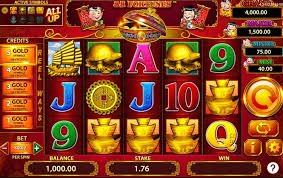
The ef777 app is more than a place to play — it's a complete gaming ecosystem. From a single app, you can spin slots, play live with real dealers in Live Casino, join friends in multiplayer Fish Games, and bet on live cricket and football matches.
The ef777 app supports dark mode, which reduces eye strain during late-night sessions. You can live chat with customer support in Bangla right inside the app. No need to switch to a separate app for deposits or withdrawals — you can transact via Mobile Banking, Nagad, or Rocket directly within ef777.
A common question is — why bother downloading the app when you can just play in the browser? Check out the comparison below to see what sets them apart.
| Features | Ef777 App | Mobile browser |
|---|---|---|
| Loading speed | Faster | Relatively slower |
| Push notifications | ||
| Biometric login | ||
| Offline Caching | Limited | |
| Battery saving | Optimized | Higher cost |
| Home Screen Shortcut | Manual | |
| Live stream quality | HD | Network dependent |
| Installation required | Once | Not required |
The ef777 app runs well even on older devices. Since many users in Bangladesh rely on budget phones, the ef777 team has made sure the app works smoothly on older handsets with just 2 GB RAM running Android 5.0.
Ef777 has been tested on all the popular brands in Bangladesh — Samsung, Xiaomi, Realme, Oppo, Vivo, and Huawei. If you run into any issues on your device, the ef777 customer care team is ready to help.

You may run into a few common issues when installing or using the ef777 app. Most of them are easy to resolve.
| Reason | APK file download incomplete |
| Solution | Re-download on a stable network |
| Reason | Unknown Sources not enabled |
| Solution | Go to Settings → Security → Enable Unknown Sources |
| Reason | Outdated version or low RAM |
| Solution | Update the app and close background apps |
| Reason | Wrong password or connection issue |
| Solution | Reset your password or check your WiFi |
It's natural to have security concerns with online gaming apps. ef777 uses 256-bit SSL encryption to protect user data. Every transaction is completed through encrypted channels and no financial information is shared with third parties.
Enabling two-factor authentication (2FA) adds an extra layer of security to your account. Every new device login requires SMS or email verification, so no one can access your account without permission.
Only download the ef777 app from the official site or the App Store. Never share your password or OTP with anyone — ef777 customer care will never ask for your password.
Ef777 regularly releases app updates that add new games, improve performance, and deliver security patches. iOS users will receive updates automatically through the App Store. Android users should check once a month — the app will send a notification whenever a new update is available.
Before updating, make sure your phone has at least 100 MB of free storage and a stable WiFi or 4G connection. It's best to keep the app closed during the update.
Trusted by millions of players across Bangladesh — open your ef777 account today. Start depositing from as little as BDT 50, with no hidden charges.